You need the clips. Chasing people for them is the job nobody wants.
Cover every track, including the ones you missed.
Five tracks, one body. Every attendee leaves having seen a fifth of the program and wondering about the rest. Share one link, collect a clip from each room, and the recap becomes the part of the conference everybody gets to attend.
“Which session were you just in, and what is the one thing you are taking from it?”
“Tell someone who chose a different track what they missed.”
“Give us the argument of your talk in thirty seconds.”
“What would you tell a colleague deciding about next year?”
How to make a conference recap video
Send one link. Everyone records their message in their browser, on any phone or computer, and videos.me compiles the clips into one film you can watch, share or download. Contributors install no app and make no account. You tick the clips you want, drag them into the order you want, and the film is made for you. Free to start, then $0.35 per video you receive, or a bundle.
- One link, no app, no account for the people recording
- Records in any browser, phone or computer
- Free to start, then $0.35 per video received, or a bundle
- You get one film back: watch it, share it, or download it
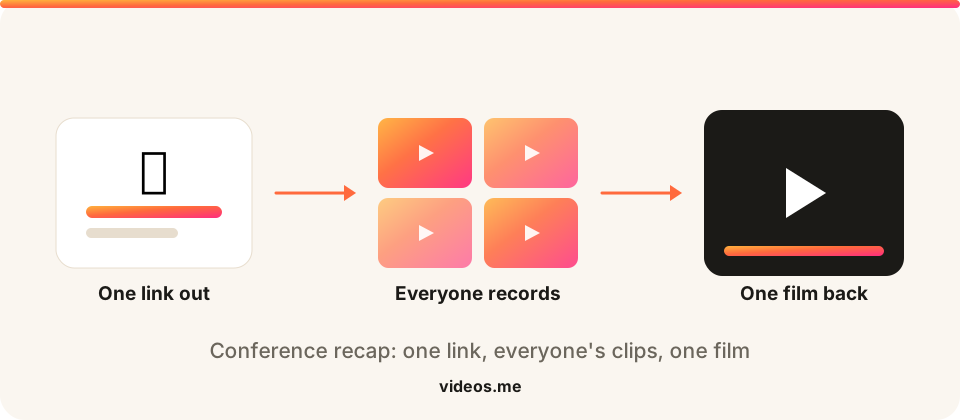
A multi-track conference has a structural problem no production budget fixes: the thing you sold was the whole program, and nobody experienced the whole program. Delegates pick a track, miss four, and go home with a partial view of an event they paid in full for. The recap is where that gets repaired, and it only works if the footage comes from the rooms rather than the corridor. videos.me gives every delegate, speaker and track chair the same link: a takeaway from the session they were actually in, recorded in the browser with no app, landing in one collection. What you get back is coverage no two-camera crew can buy, and the same clips do three jobs afterward: the delegate recap, the sponsor report that proves the room was full, and next year’s early-bird campaign.
What you get back
A preview cut from the prompts on this page. Yours will be the clips your people record.
How it works
Three steps and a few minutes, and never an editor.
Create a link
Add a prompt like “Which session were you just in, and what is the one thing you are taking from it?” and get one shareable link in seconds.
Everyone records
Anyone with the link opens it and records a short clip in their browser. They never install an app or make an account.
We make the film
We stitch the clips into one film that’s yours to watch, download, and share.
How to make a conference recap video
Put the link in the program, per session
On the slide at the end of each talk, in the app, on the badge back. The ask has to arrive while the delegate is still in the room they are describing.
Brief the track chairs as well as the host
Chairs close sessions. A chair asking for a takeaway covers a track; an opening-keynote announcement covers a keynote.
Ask which session they were in
One extra sentence in the prompt turns a pile of clips into coverage you can sort by track, which is what makes the recap watchable.
Compile per track, then cut together
Order clips by session so the film walks the program. Send the recap while the badge is still in their bag.
Prompt ideas for your video
?
Pick one. One clear question gets more replies than four. People answer a question; they stall at a brief.
Make it theirs. Swap in the name and the detail only your group knows. “Share a memory of Dad” beats “share a memory.”
Say the length. Naming thirty seconds gives permission to stop, which is usually what someone is waiting for.
Say when you need it. A date does more for replies than any wording.
Give contributors a great question, or write your own.
“Which session were you just in, and what is the one thing you are taking from it?”
“Tell someone who chose a different track what they missed.”
“Give us the argument of your talk in thirty seconds.”
“What would you tell a colleague deciding about next year?”
Tips for the best results
A takeaway beats a testimonial
Asking “what did you learn” gets you substance. Asking “did you enjoy the conference” gets you adjectives, and nobody rewatches adjectives.
Name the rooms you are missing
Mid-event, check which tracks have no clips and ask that chair directly. Coverage gaps are fixable on day two and not after.
Clear the rights in the prompt
One line, “submitting means we can use this in conference marketing,” keeps the sponsor report and the promo clean.
Works for these, too
One link, the same effortless flow, whatever you’re collecting for.
Event recap
Footage from every attendee, cut into one recap reel.
Event recaps →Trade show recap
Show the board what the booth spend actually bought.
Trade show recaps →Customer testimonials
Real customer videos, in their own words.
Testimonials →Pitch collection
Every founder pitch in one place, on time.
Collect pitches →Frequently asked questions
How do we get clips from every track, not just the main stage?
Ask per session rather than per day. Track chairs closing with “record a takeaway before you leave the room” is what produces even coverage; a single announcement at the opening keynote produces keynote clips and little else.
Do delegates need the conference app?
No. One link, recorded or uploaded in the browser, no account and nothing to install. That matters more at a conference than anywhere else, because the app is the thing half the delegates never downloaded.
Can we use this for the sponsor report?
Yes, and it is the most underused output. Sponsors buy attention and get told about it in numbers; clips of delegates in their track, naming what they learned, is the same claim with evidence attached. Add a permission line to your prompt so marketing use is clean.
Can we keep one collection per day of a multi-day event?
Either way works. One link for the whole conference keeps it simple; one per day gives you a daily recap you can send that evening, which is when delegate attention is highest.
What about hybrid and remote delegates?
The same link works for them, which is the point. A remote delegate recording a takeaway from their desk sits in the recap beside someone in the hall, and that is the only cheap way to make a hybrid audience visible in the film.
How many delegates can contribute?
Room for the whole delegation. On a multi-track program more contributors is not just more footage, it is the only route to even coverage across rooms.
One link does the collecting for you.
Two minutes to set up, free to create, and nothing to pay until you unlock your videos.
Will people actually record something?
They open the link and record in their browser. Nothing to install, and no account to make.
What if I set it up and nobody sends anything?
Creating a collection is free, and you pay when you unlock your videos. An empty collection costs you nothing.
What do I even ask people to say?
Every occasion page here comes with prompt ideas you can send as they are, or write your own.