You need the clips. Chasing people for them is the job nobody wants.
Your next cohort is recruited by the one that just finished.
Demo day ends and the batch scatters. Send one link before it does, every founder, student, or fellow records a short piece to camera in the browser, and you have the footage your application page, your sponsor report, and your social feed have been going without.
“Where was the company the week you started, and where is it now?”
“Name one thing the program did that you could not have done alone.”
“What would you tell a founder deciding whether to apply?”
“One metric that moved during the batch, and by how much.”
“Which conversation changed your mind about something?”
“It’s a year on. What are you working on now?”
How to collect testimonial videos from a cohort
Send one link. Everyone records their message in their browser, on any phone or computer, and videos.me compiles the clips into one film you can watch, share or download. Contributors install no app and make no account. You tick the clips you want, drag them into the order you want, and the film is made for you. Free to start, then $0.35 per video you receive, or a bundle.
- One link, no app, no account for the people recording
- Records in any browser, phone or computer
- Free to start, then $0.35 per video received, or a bundle
- You get one film back: watch it, share it, or download it
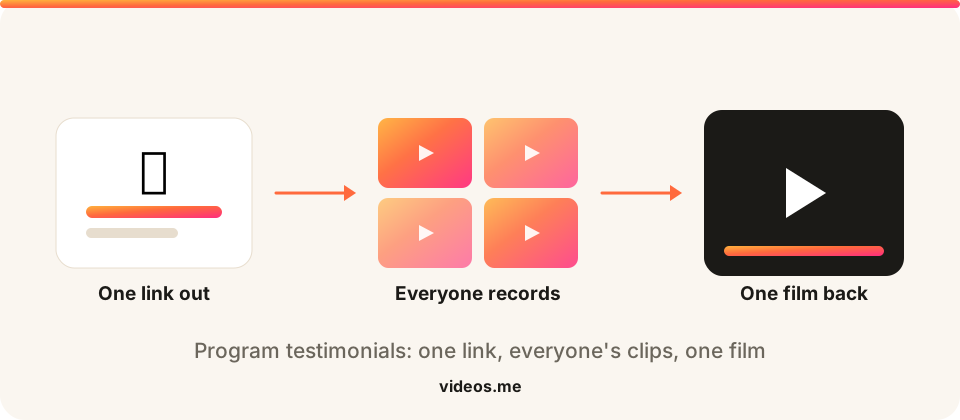
Every cohort program has the same marketing problem and the same unused answer to it. The people best placed to explain what the program does are the ones who just went through it, and they are reachable for about two weeks after it ends. What usually happens is a plan to film testimonials that never survives the week after demo day, a handful of quotes pulled from exit surveys, and an application page that describes the program in the program’s own words. One collection link changes the economics of that. You write the prompt once, drop the link in the cohort Slack, and founders record wherever they are, in the browser, without an account or an appointment. Each clip lands in your collection full quality and playable on its own, so you can cut one for the application page, one for the sponsor update, and a dozen for social. The stitched film is there too, which is usually the demo-day recap you were going to have someone edit anyway.
What you get back
A preview cut from the prompts on this page. Yours will be the clips your people record.
How it works
Three steps and a few minutes, and never an editor.
Create a link
Add a prompt like “Where was the company the week you started, and where is it now?” and get one shareable link in seconds.
Everyone records
Anyone with the link opens it and records a short clip in their browser. They never install an app or make an account.
We make the film
We stitch the clips into one film that’s yours to watch, download, and share.
How to collect testimonial videos from a cohort
Write the prompt before the last week
Two or three questions, a length in seconds, and a plain line about where the clips will be used. Everyone gets the same brief.
Send one link to the cohort
The group chat or the program mailing list. No scheduling, no filming day, no account for anyone recording.
Clips land in one collection
Each one full quality and playable on its own, ready to cut for the application page, the sponsor update, or social.
Compile the recap
The stitched film is the demo-day highlight reel, and the same collection feeds next year’s recruiting page.
Prompt ideas for your video?
Pick one. One clear question gets more replies than four. People answer a question; they stall at a brief.
Make it theirs. Swap in the name and the detail only your group knows. “Share a memory of Dad” beats “share a memory”.
Say the length. Naming thirty seconds gives permission to stop, which is usually what someone is waiting for.
Say when you need it. A date does more for replies than any wording.
?
Pick one. One clear question gets more replies than four. People answer a question; they stall at a brief.
Make it theirs. Swap in the name and the detail only your group knows. “Share a memory of Dad” beats “share a memory”.
Say the length. Naming thirty seconds gives permission to stop, which is usually what someone is waiting for.
Say when you need it. A date does more for replies than any wording.
Give contributors a great question, or write your own.
“Where was the company the week you started, and where is it now?”
“Name one thing the program did that you could not have done alone.”
“What would you tell a founder deciding whether to apply?”
“One metric that moved during the batch, and by how much.”
“Which conversation changed your mind about something?”
“It’s a year on. What are you working on now?”
Tips for the best results
Ask while they are still together
The reply rate lives in the last week of the program. Same ask a month later is a favour, not a moment.
Ask for the number
A prompt that requests one specific metric produces clips an applicant believes. Generic praise reads as generic praise.
Run it on alumni once a year
One link to every past cohort in the same week gives you a where-are-they-now reel that nobody had to chase.
Say where the clips go, in the prompt
People record differently when they know the audience, and it keeps the permission conversation in one place.
Works for these, too
One link, the same effortless flow, whatever you're collecting for.
Pitch collection
Every founder pitch in one place, on time.
Collect pitches →Customer testimonials
Real customer videos, in their own words.
Testimonials →Event recap
Footage from every attendee, cut into one recap reel.
Event recaps →Graduation videos
Congratulations from the people who got them here.
Graduation videos →Frequently Asked Questions
When should we send the link?
The last week of the program, while everyone is still in the group chat and still feels like a cohort. Attention falls off a cliff once people go back to running their companies, and a link sent in week one of the next batch gets a fraction of the replies.
Do participants need an account?
No. They open the link, see your prompt, and record in the browser or upload a file they already have. Your link is ready the moment you create the collection.
Can we use the clips in our marketing?
That is a permission question, not a technical one, so put it in the prompt: say plainly that clips may be used on the program site and social channels, and let people record knowing that. Written consent alongside is the safer version, and most programs already collect it in the participation agreement.
Can we get individual clips, not just the film?
Yes. Every clip stays playable on its own in the collection, so one collection covers the application-page cut, the sponsor report, and the social clips. The stitched film is one output, not the only one.
What about alumni from past cohorts?
Same link, sent to a different list. Alumni footage is the stronger asset for recruiting, because it answers the question applicants actually have, which is what happens after the program ends.
How many people can we collect from?
A cohort of any size on pay as you go, at $0.35 per video received, so a 40-founder batch costs about $14 and nothing at all if nobody records. Bundles cover up to 10, 25, or 50 people if you would rather pay once.
What if people are camera-shy?
They can re-record until they are happy with it, and the recorder gives suggestions when someone opens the link and freezes. You get the take they chose to send, which is both fairer to them and better footage for you.
One link does the collecting for you.
Two minutes to set up, free to create, and nothing to pay until you unlock your videos.
Will people actually record something?
They open the link and record in their browser. Nothing to install, and no account to make.
What if I set it up and nobody sends anything?
Creating a collection is free, and you pay when you unlock your videos. An empty collection costs you nothing.
What do I even ask people to say?
Every occasion page here comes with prompt ideas you can send as they are, or write your own.